Role
UX Designer & Researcher
Duration
6 months
Tools
Figma
WCAG AA Guidelines
🌱 Introduction
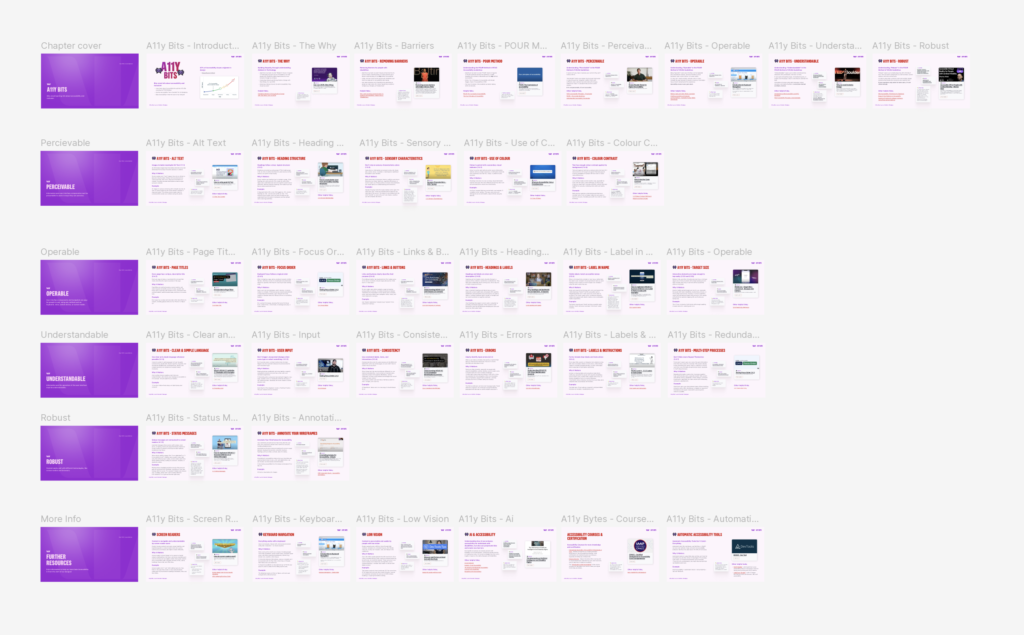
During my time at Westpac as a UX Designer and Accessibility Advocate, I had the opportunity to create A11y Bits, which consisted of 33 micro learning tutorial
🌼 Overview
- Uplift service team understanding of Accessibility from its baseline to AA compliance, inline with business expectations. UX Designers will upskill while working on projects when they follow the guidelines and supporting resources.
- Upskill service team members from baseline awareness to WCAG 2.2 AA compliance.
- Empower staff to apply accessibility principles confidently within project workflows.
- Improve CX outcomes and reduce design anxiety by embedding clear, practical guidance.
- Foster empathy and advocacy for users with diverse needs.
👀 The Problem
How might we uplift Accessibility knowledge in the Westpac Service Design Team and promote a culture of inclusive design that aligns with business expectations, reduces legal and reputational risk, and benefits all users?
🔭 The Process
First, I need to understand who our Users are and gather insights on their needs, wants and behaviours. Using the Double Diamond Approach, I began with discovering users’ pain points, in order to find potential opportunities. My Research Process included:
- Accessibility Poll
- Accessibility Knowledge Check
- Competitor Analysis
- WCAG AA Accessibility Guidelines
- Usability Testing
- A11y Bits modules
Accessibility Poll
Key Insights showed that just over 20% of the Design Team were clear on their responsibility for Accessibility in their design projects.
When polled, “Are you clear on your responsibilitys for Accessibility in your projects?”
Yes = 22%
No – 22%
Maybe – 55%
💫 Knowledge Check Results
The Accessibility Knowledge check tested Service Team members baseline knowledge of Accessibility, focusing on WCAG 2.0 Guidelines and how criteria fints in line with our design practice, with the goal to;
1. Build empathy and the Why behind WCAG guidelines
2. Accessibility isn’t about Compliance, its about Real People
Limitations & Considerations
- Considerations:
- Unmoderated testing
- Limitations of the research
- The WCAG Guidelines themselves are not Accessibility friendly, so efforts were made to make the quiz about real people, rather than just compliance
- Although the team scored relatively well, there is still much need for Accessibility upskilling
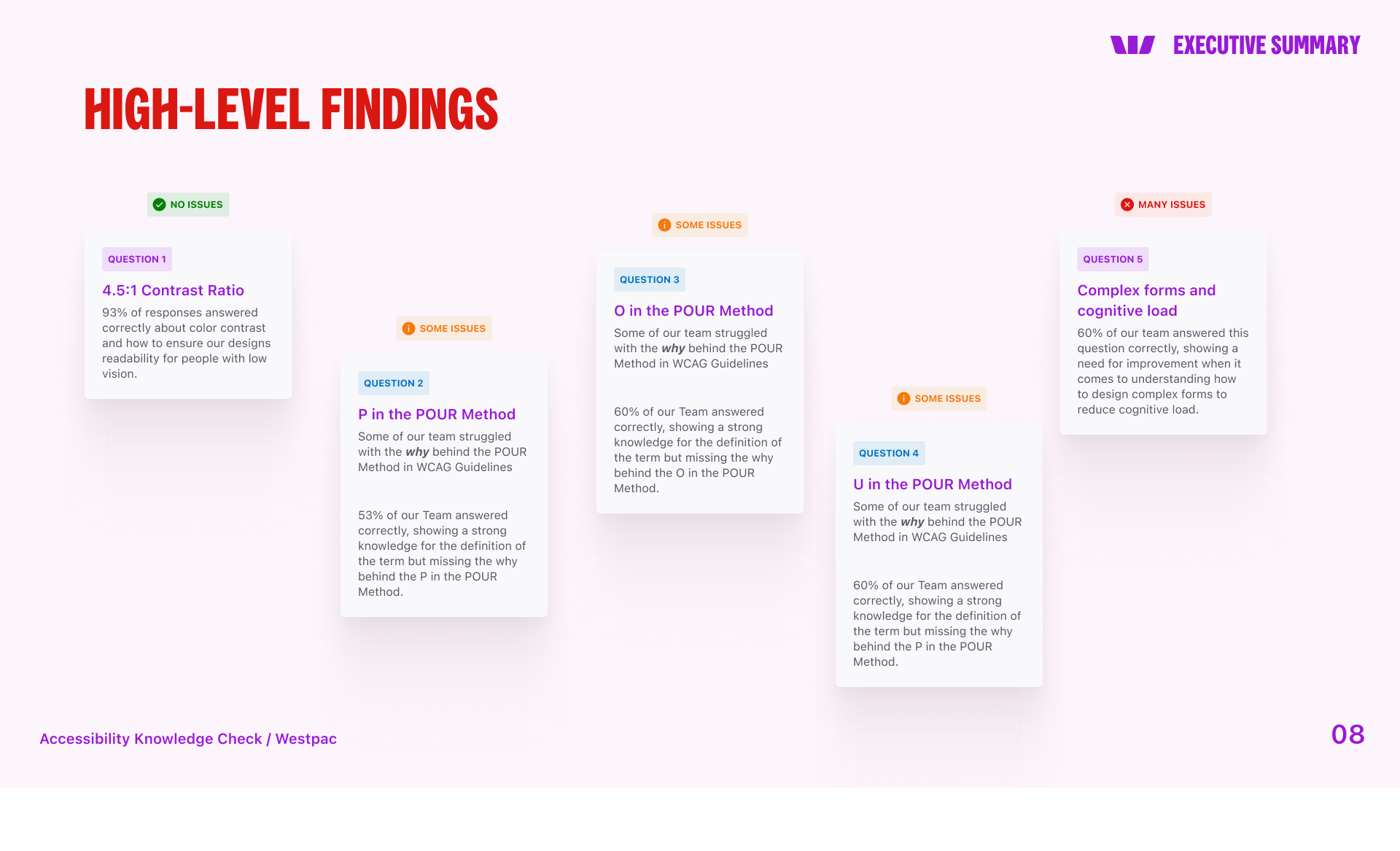
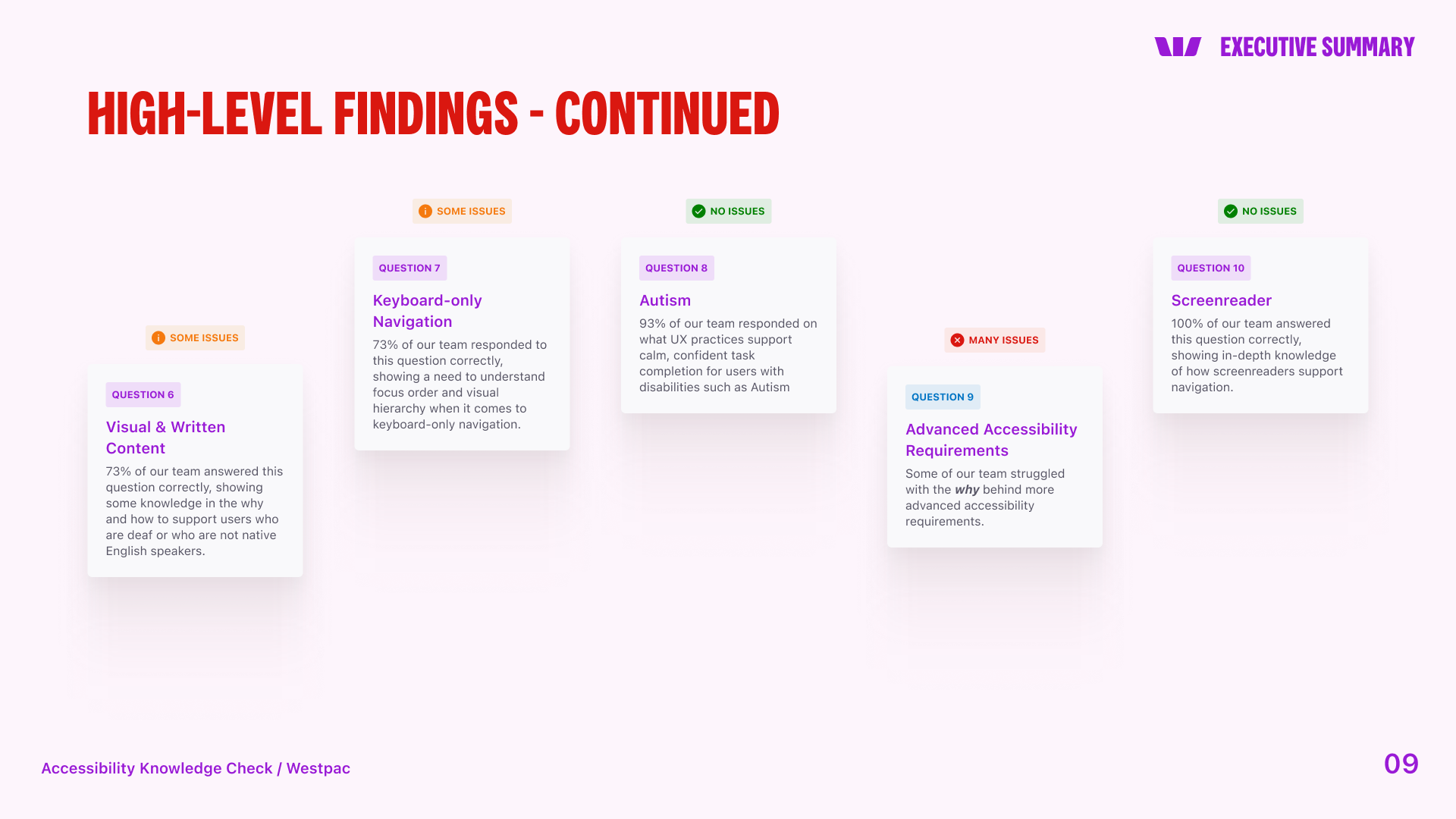
How can we help those with the lowest score on our Team?
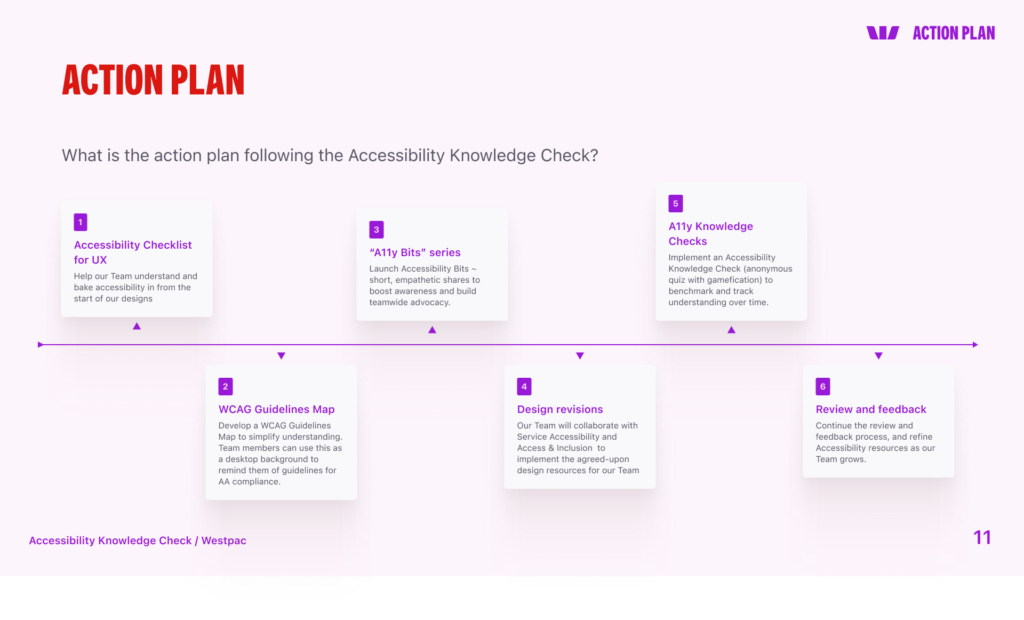
Action Plan
To help our Team understand and bake accessibility in from the start of our designs, an Action Plan was created.
Inclusive Design benefits all users
Inclusive design benefits all users, leading to better customer experiences overall
- Designing for accessibility (e.g., clear navigation, readable text, alt text, keyboard access) improves usability for everyone.
- Features originally intended to support people with disabilities—like captions or voice commands—also help users in noisy, low-light, or hands-free environments.
- Universal design removes friction, making digital interactions smoother for users across all devices, abilities, and contexts.
📝 A11y Bits
I created a series of bite-sized learning modules for UX Designers to better understand Accessibility Guidelines and how to design for Inclusivity. This that included info about accessibility and inclusion.
This work was then added to Access & Inclusion’s internal site for all Westpac employees to understand WCAG Accessibility Guidelines and the POUR Method.
POUR Method
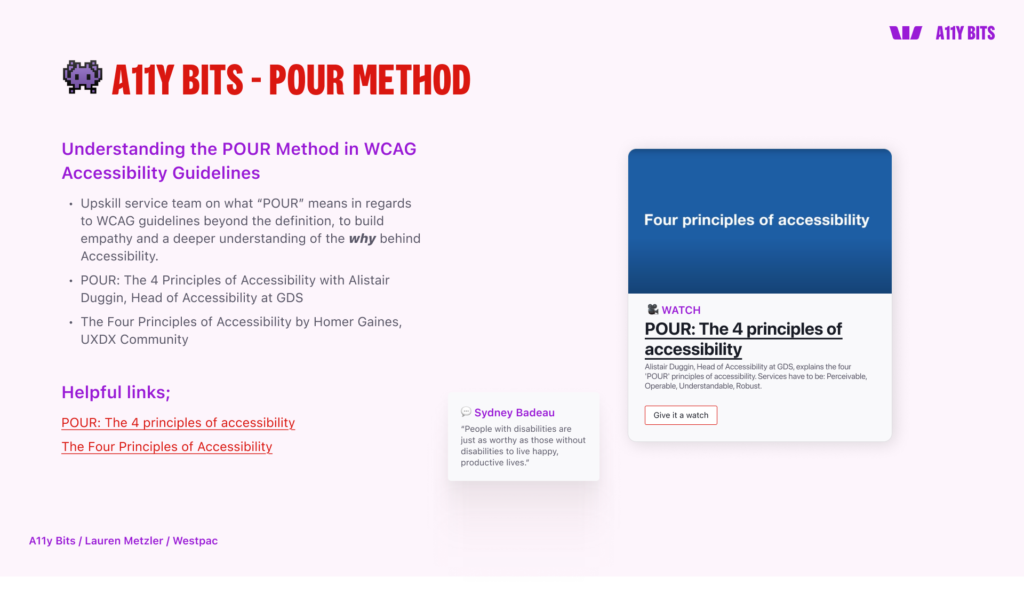
Understanding the POUR Method in WCAG Accessibility Guidelines
P – Perceivable
O- Operable
U – Understandable
R – Robust
Perceivable
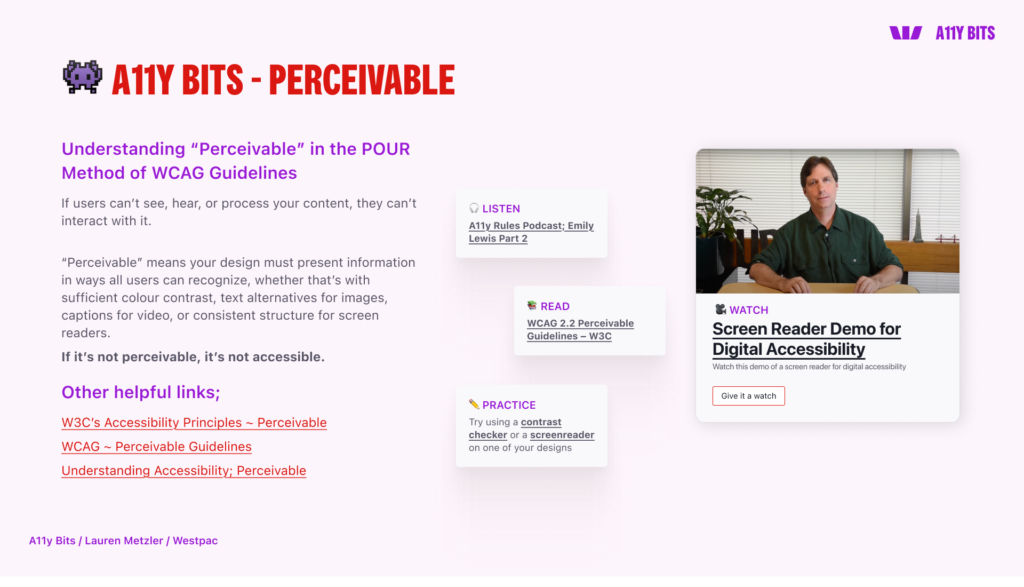
Perceivable – if users can’t see, hear or process your content, they can’t interact with it.
Perceivable means your design must present information in ways all users can recognize, whether that’s with sufficient colour contrast, text alternatives for images, captions for video, or consistent structure for screen readers.
If it’s not perceivable, it’s not accessible.
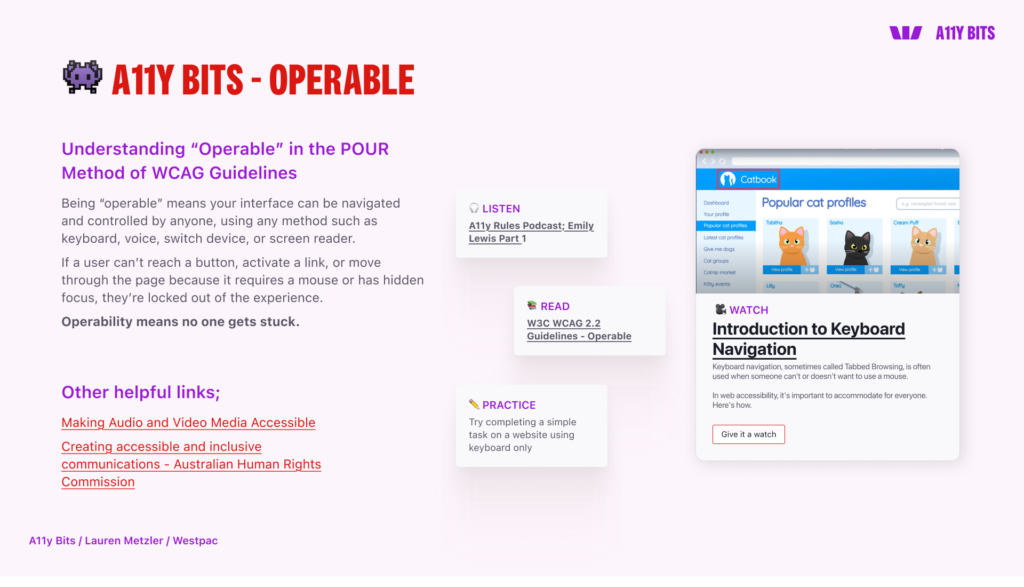
Operable – if a user can’t reach a button, activate a link, or move through the page because it requires a mouse or has a hidden focus, they’re locked out of the experience. Operability means no one gets stuck.
Operable
Operable – if a user can’t reach a button, activate a link, or move through the page because it requires a mouse or has a hidden focus, they’re locked out of the experience. Operability means no one gets stuck.
Understandable
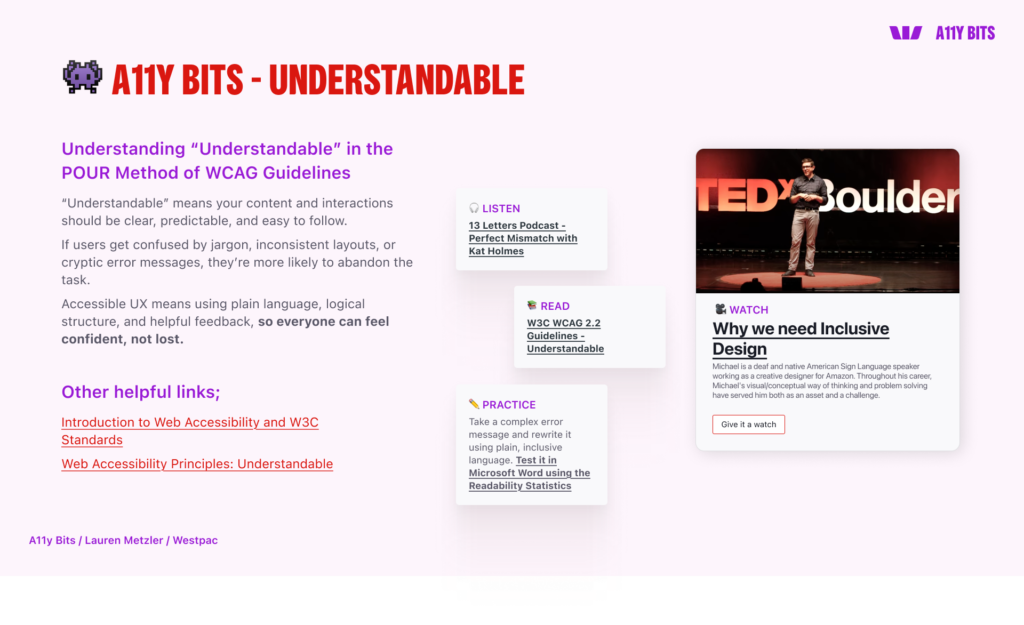
Understandable – your content and interactions should be clear, predictable and easy to follow.
If users get confused by jargon, inconsistent layouts or cryptic error messages, they’re more likely to abandon the task.
Accessible UX means using plain language, logical structure, and helpful feedback so everyone can feel confident, not lost.
Robust
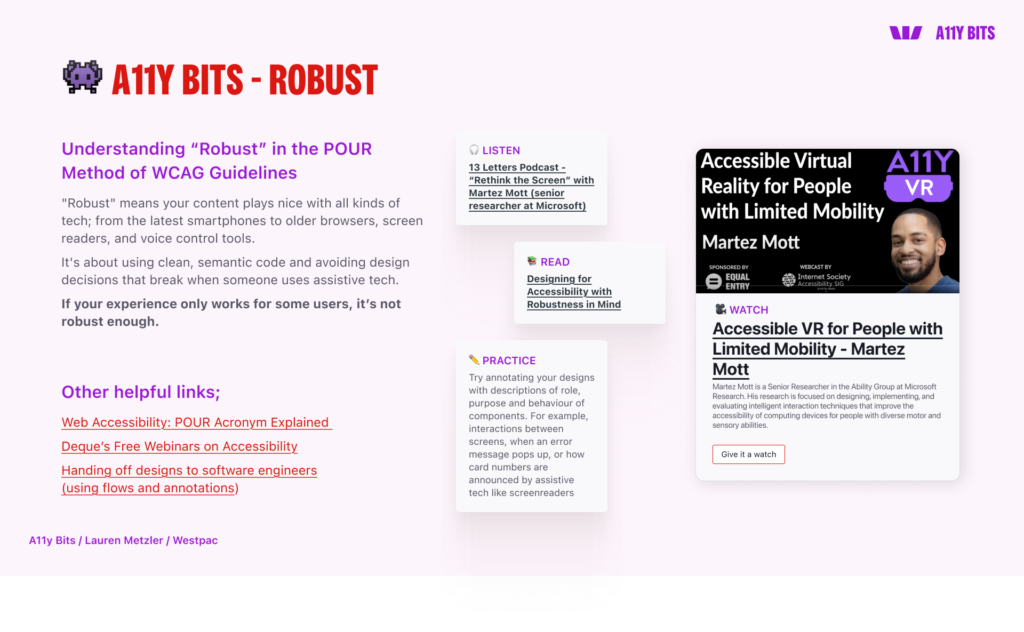
Robust – your content plays nice with all kinds of tech; from the latest smartphones to older browsers, screen readers, and voice control tools.
It’s about using clean, semantic code and avoiding design decisions that break when someone uses assistive tech.
If your experience only works for some users, it is not robust enough.
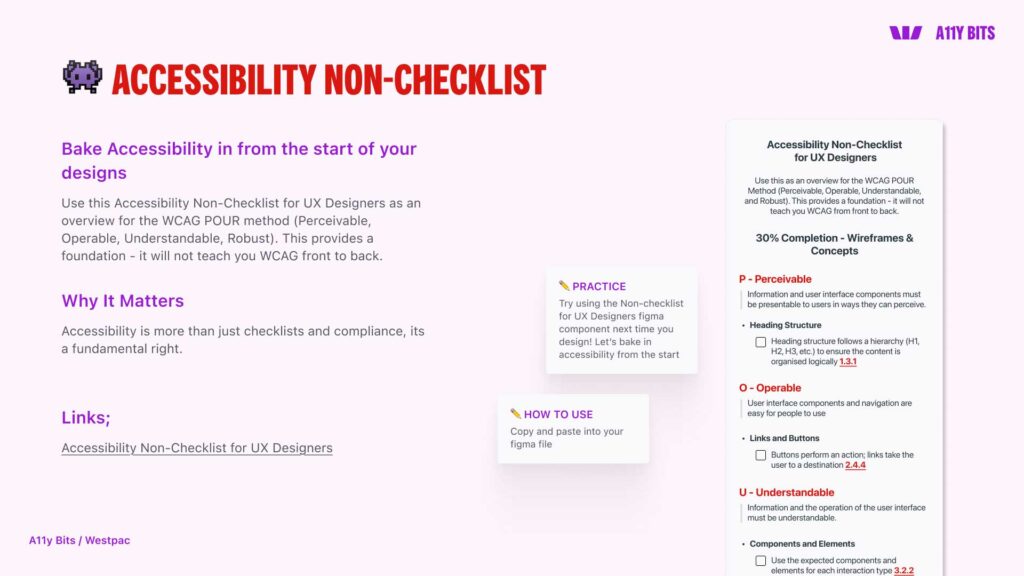
Accessibility Non-Checklist for UX Designers
Accessibility is more than just checklists and compliance, its a fundamental right.
This Accessibility Non-Checklist for UX Designers as an overview for the WCAG POUR method (Perceivable, Operable, Understandable, Robust). This provides a foundation – it will not teach you WCAG front to back.
💻 A11y Crumbs
Inspired by the work I started at Westpac, I then went on to create resources to help everyone learn Accessibility. I created A11y Crumbs on Substack here